An Overlooked Part of the WordPress Stack
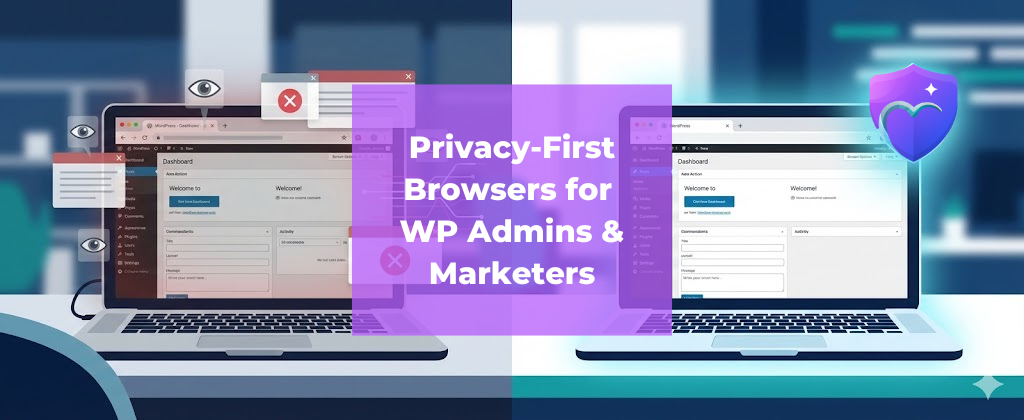
Most WordPress optimization conversations focus on hosting, caching, plugins, and analytics. But there’s one layer that quietly affects security, testing accuracy, and day-to-day workflow: the browser.
Browsers aren’t passive anymore. They block (or allow) trackers, run scripts, manage sessions, and influence what you see while researching, building, and marketing sites.
If you manage WordPress or run campaigns, your browser can either reduce risk—or multiply it.
This is where privacy-first browsers come in: fewer trackers, fewer distractions, fewer surprises.
1) What “Privacy-First Browser” Actually Means (Simple Definition)
A privacy-first browser is designed to reduce tracking and risky web behavior by default, without requiring you to install a dozen extensions.
Usually that means:
- Blocking common trackers and intrusive scripts
- Stronger protection against malicious redirects
- Cleaner browsing with fewer popups and distractions
- Safer browsing defaults (especially useful in admin workflows)
For WordPress admins and digital marketers, the point isn’t ideology—it’s better control of your environment.
2) Why WordPress Admins Should Care (Not Just End Users)
A) Your testing environment gets distorted fast
If your main browser is loaded with extensions, cached scripts, ad tech, and logged-in accounts, your testing can become unreliable.
A privacy-first browser helps you:
- Validate pages with fewer third-party scripts interfering
- Spot heavy scripts and unwanted requests faster
- Test in a “cleaner” state closer to privacy-aware user experiences
Practical tip: Keep two browser profiles:
- Admin profile: minimal extensions, privacy-first defaults
- Personal profile: normal browsing
B) WordPress is a high-value target
WordPress sites (and admin sessions) are a common target for:
A browser that reduces risky content and trackers lowers exposure – especially when you’re installing plugins/themes, visiting tool sites, or opening questionable “free” resources.
3) Why Digital Marketers Should Care (Cookieless + Trust Era)
Marketing is changing:
- Third-party cookies are fading
- Users are more privacy-aware
- Many visitors browse with stricter settings
If your landing pages or tracking depend heavily on third-party scripts, a privacy-focused setup can reveal fragile funnels.
A privacy-first browsing workflow helps marketers:
- Identify which scripts break when tracking is restricted
- Build stronger first-party data habits
- Improve UX by reducing script bloat
Bottom line: If you only test campaigns in a tracker-heavy browser, you may miss how real users experience your pages.
4) Security Risks Admins Often Miss (Browser-Level)
Even experienced admins overlook browser risks such as:
- Session hijacking via suspicious popups
- Unsafe redirects that look like “tool sites”
- Installing extensions that overreach permissions
This is where a browser with stronger privacy defaults can help – by preventing common tracking and reducing exposure to unsafe browsing patterns.
5) Privacy-First Browsers as a Productivity Advantage
There’s a practical benefit most people notice quickly: focus.
Fewer popups and distractions can mean:
- Faster research
- Cleaner reading experience
- Less mental fatigue
For WordPress admins and marketers doing deep work (Core Web Vitals audits, content refreshes, funnel QA), small friction adds up.
6) A Simple Checklist: What to Look for as an Admin/Marketer
Use this quick checklist when picking a browser for site management work:
- Blocks common trackers and intrusive scripts by default
- Helps reduce risky redirects/popups
- Doesn’t require 10+ extensions to feel “safe”
- Supports clean profiles for testing
- Performs well on your device (speed + memory)
- Has a clear privacy posture (not just marketing)

7) Practical Use Cases (Real Workflows)
For WordPress Admins
- Plugin/theme research without risky popups
- Cleaner performance checks (less third-party noise)
- Safer multi-client dashboard sessions
For Digital Marketers
- Landing page QA in privacy-restricted conditions
- Tag/analytics troubleshooting
- Competitor research with fewer intrusive trackers
Way Ahead
For WordPress admins and digital marketers, the browser is part of the stack now. It affects testing accuracy, session security, and even how you evaluate user experience.
A privacy-first browser can help you:
- Test more realistically
- Reduce exposure to risky web behavior
- Work with fewer distractions
In a trust-first internet, browser choice isn’t cosmetic – it’s strategic.
FAQs
Do privacy-first browsers improve SEO?
They don’t change rankings directly, but they can help you test real user experiences and identify script bloat that hurts performance and UX.
Can privacy settings break analytics?
They can reveal funnels that depend too much on third-party scripts. That’s useful feedback – shift toward stronger first-party measurement.
Should admins use a separate browser?
Yes. A dedicated “admin/testing” profile reduces extension conflicts, tracking noise, and security risks.